New article
Recently updated
Changing monitor thresholds

Who is this article for?
Administrators managing monitor configuration.
Site Configuration access is required.
This article shows you where you can modify the threshold settings within your monitoring devices.
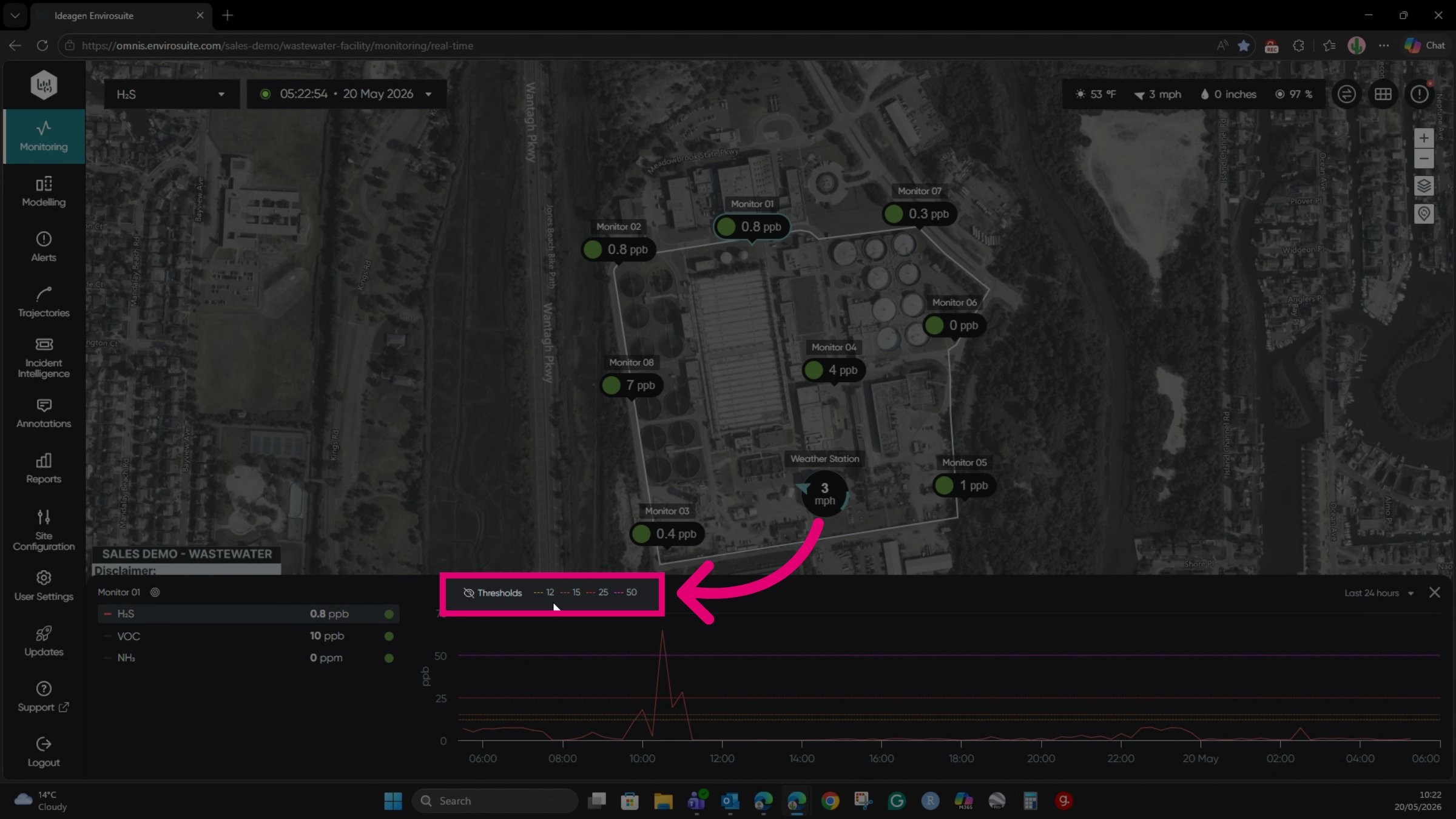
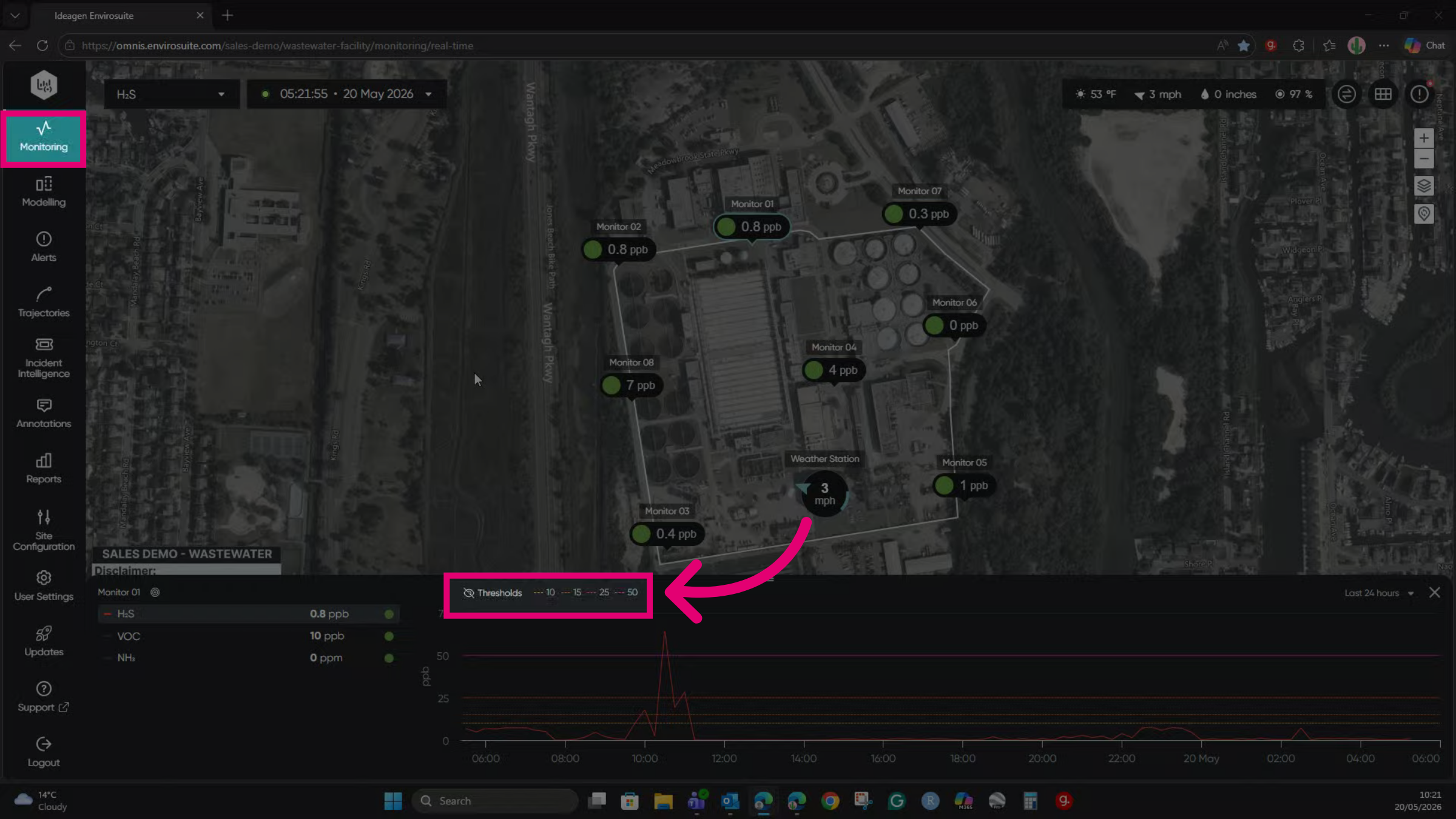
Reviewing monitor thresholds
To review current thresholds:
- Go to the Monitoring module.
- Select the monitor from the list.
- Review the threshold values.
Changing monitor thresholds
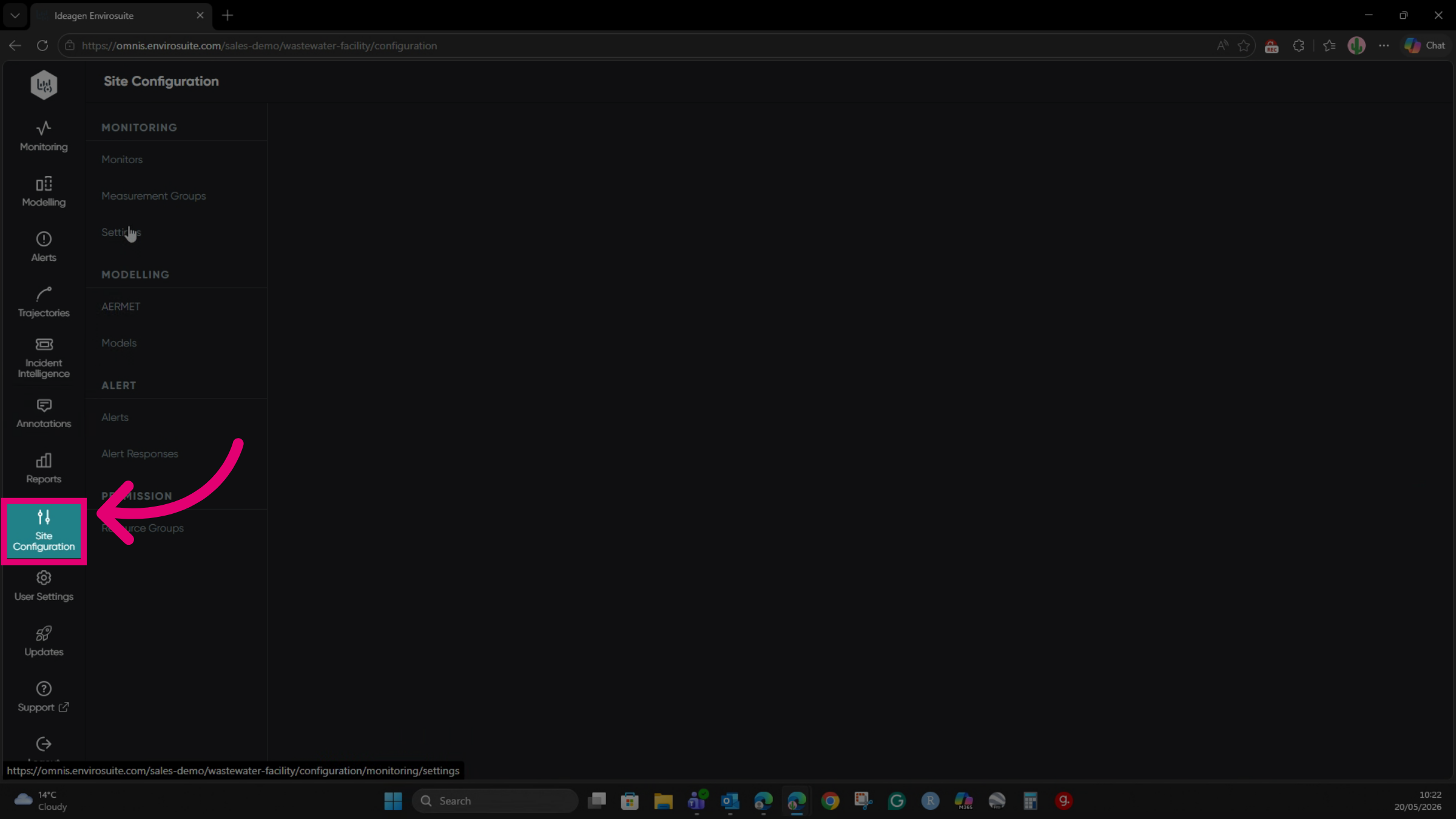
To change the thresholds:
- Go to Site Configuration.
- Select Monitors from the list.
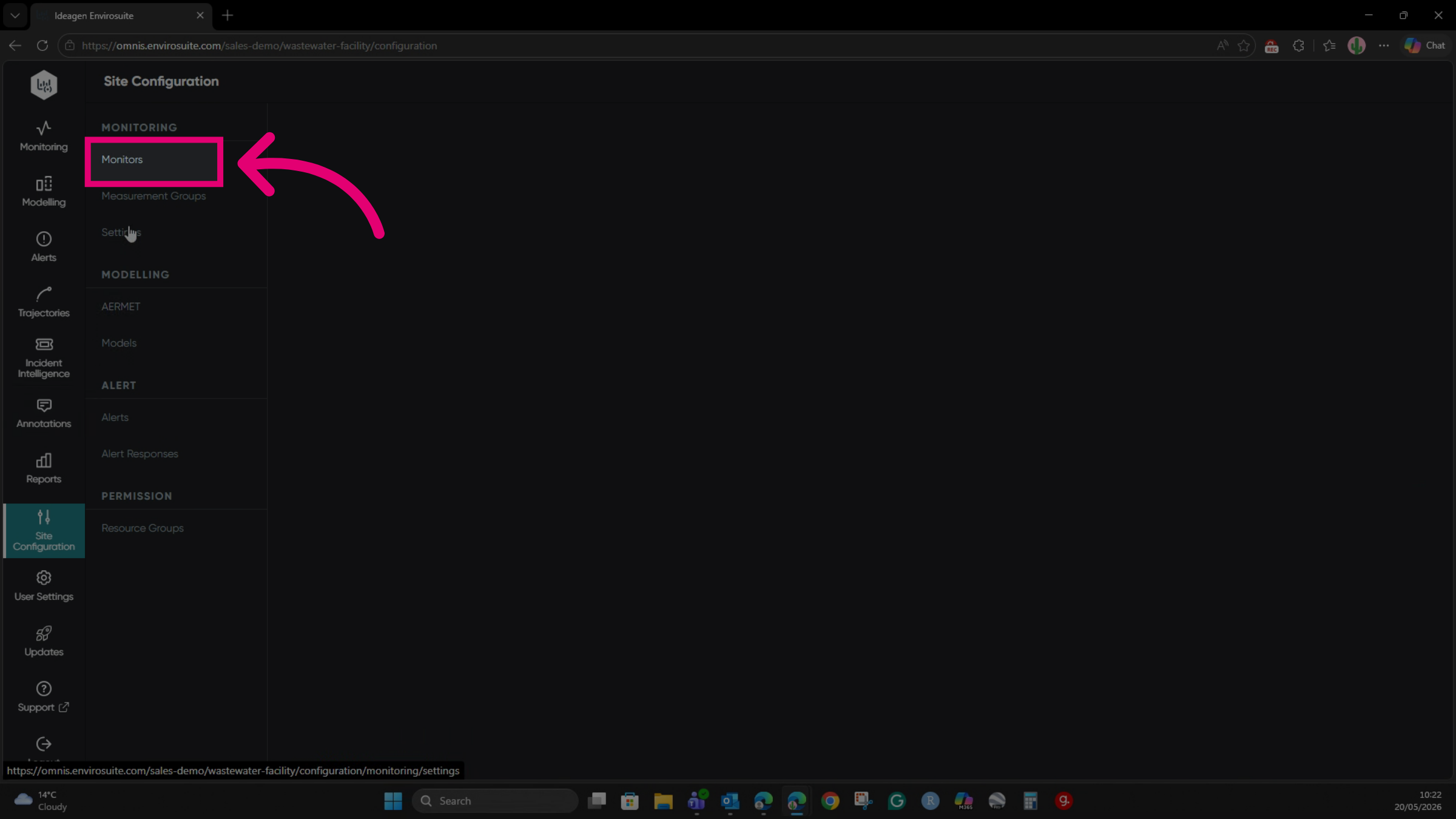
- Find the monitor you want to configure.
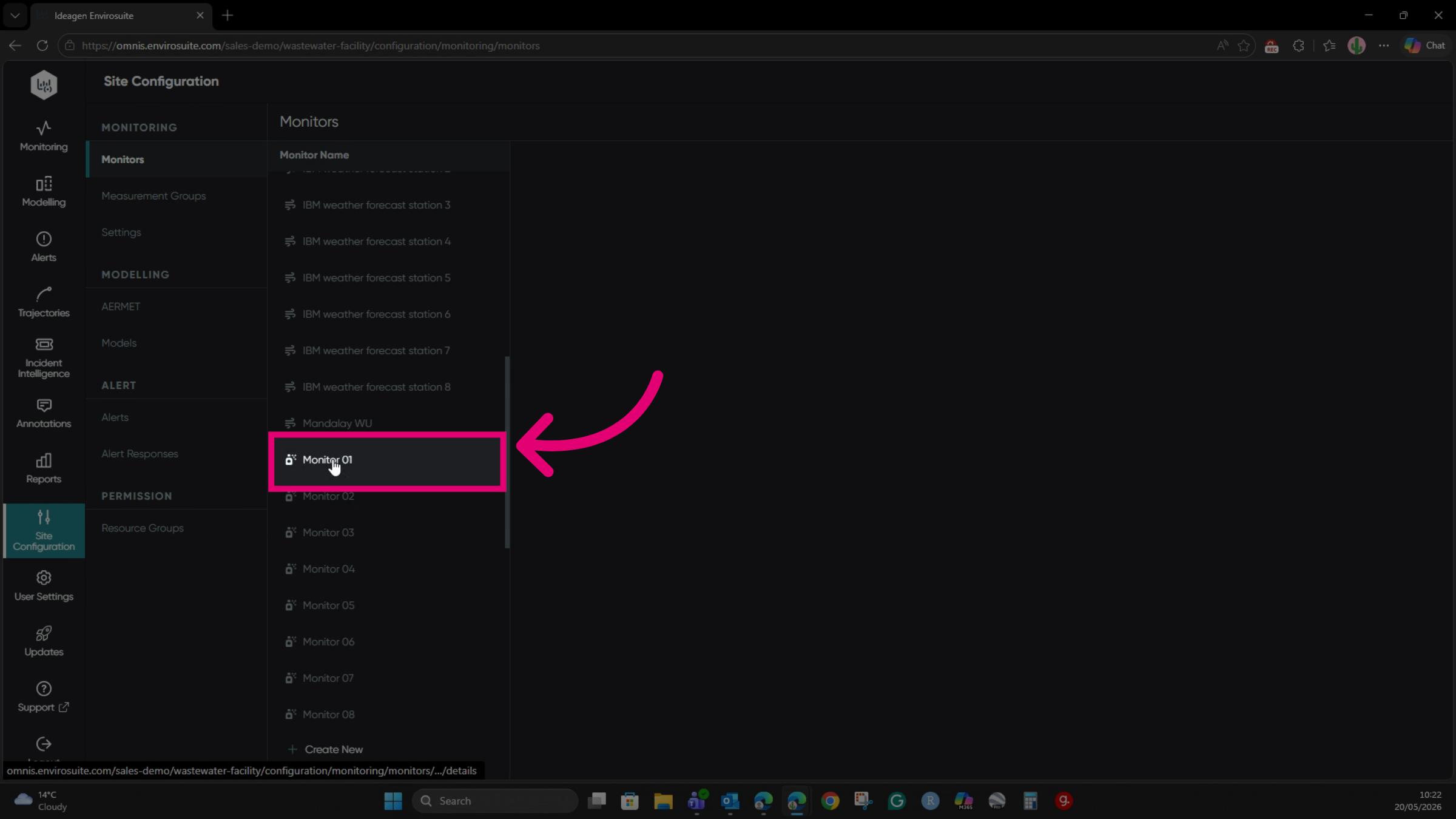
- Switch to the Measurement Types tab.
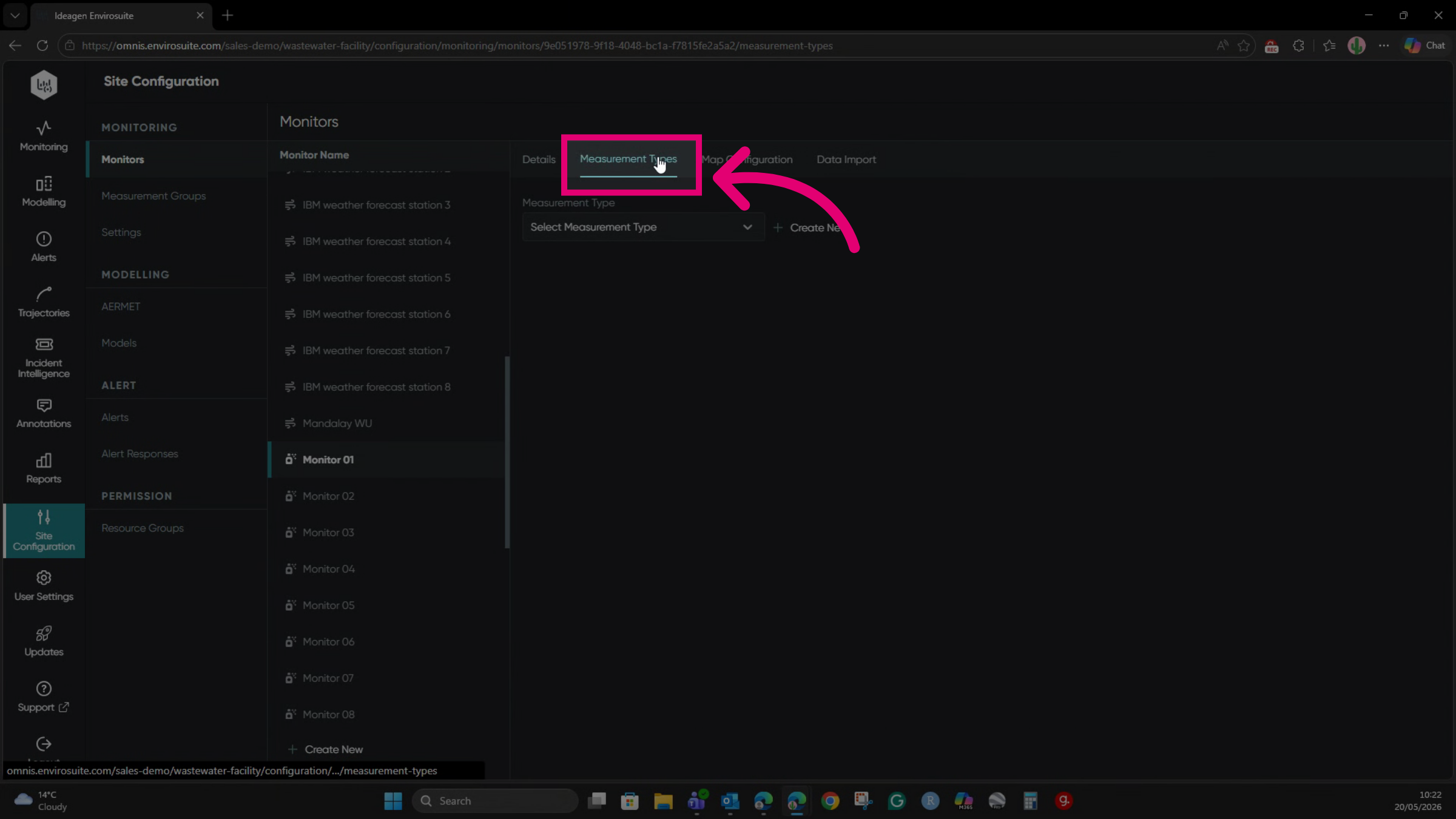
- Select H2S from the Measurement Type dropdown.
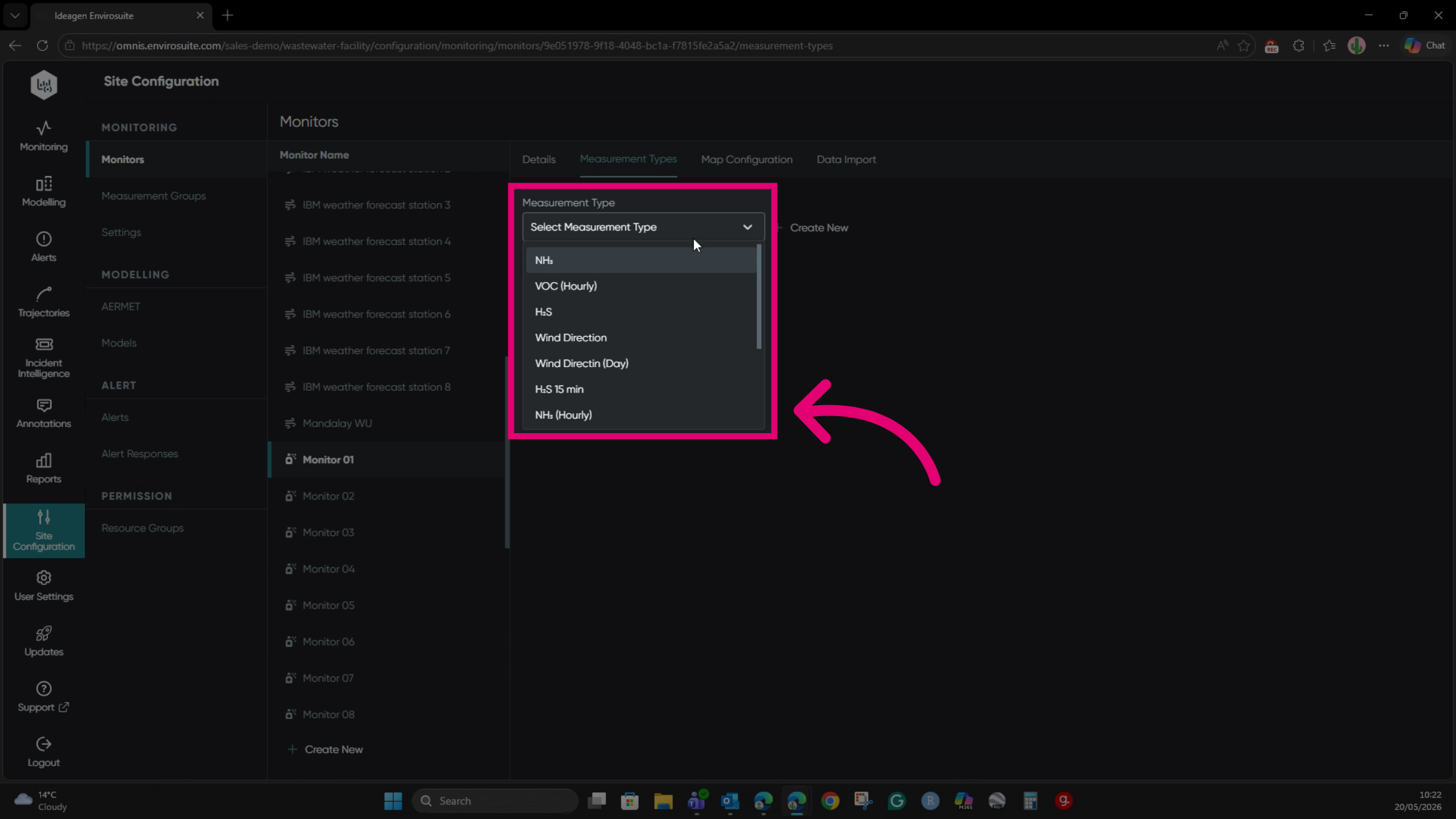
- Update the Colour Threshold values to the desired level.
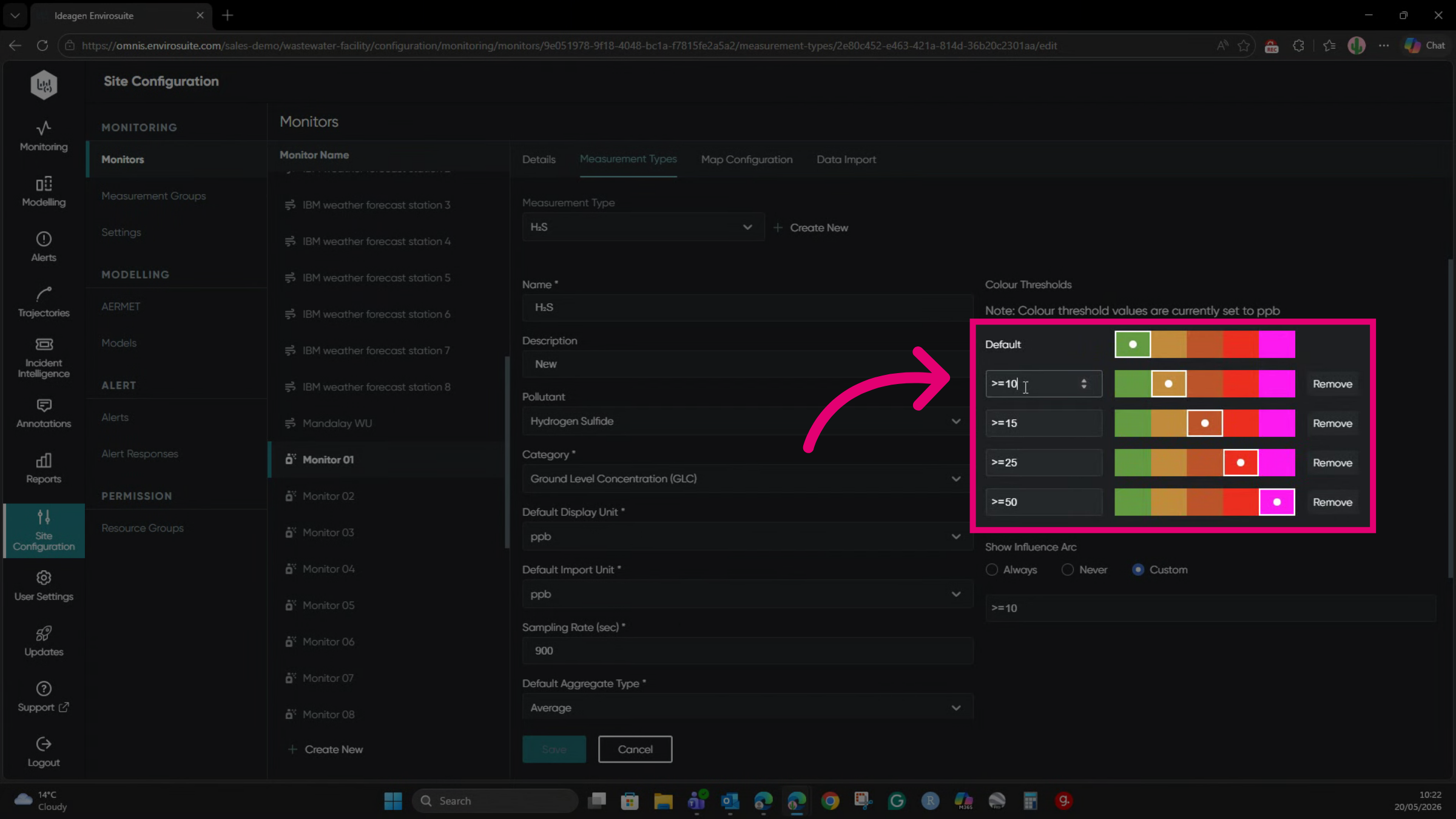
- Adjust the Influence Arc accordingly.
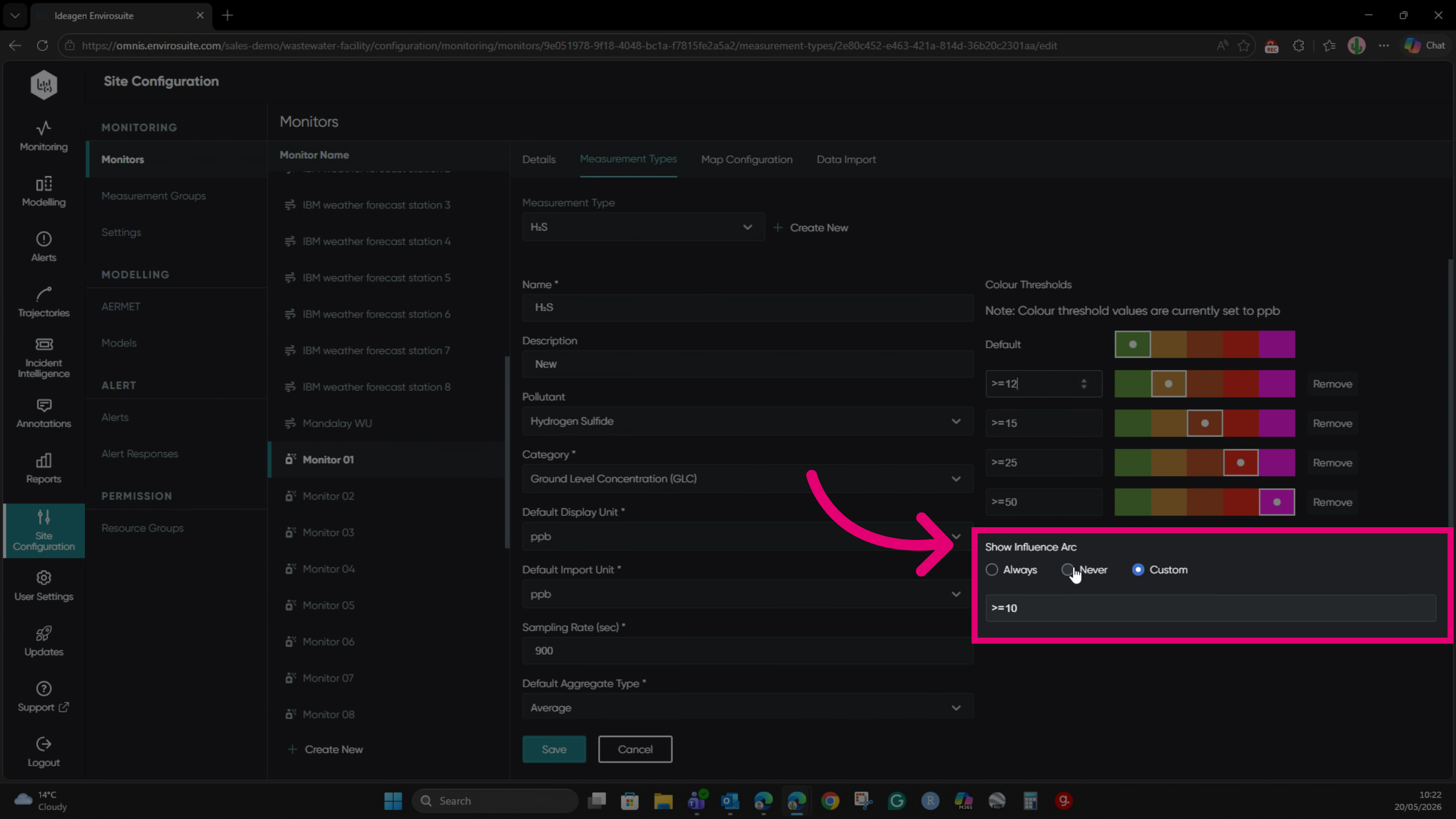
You can verify the threshold changes in the Monitoring module.