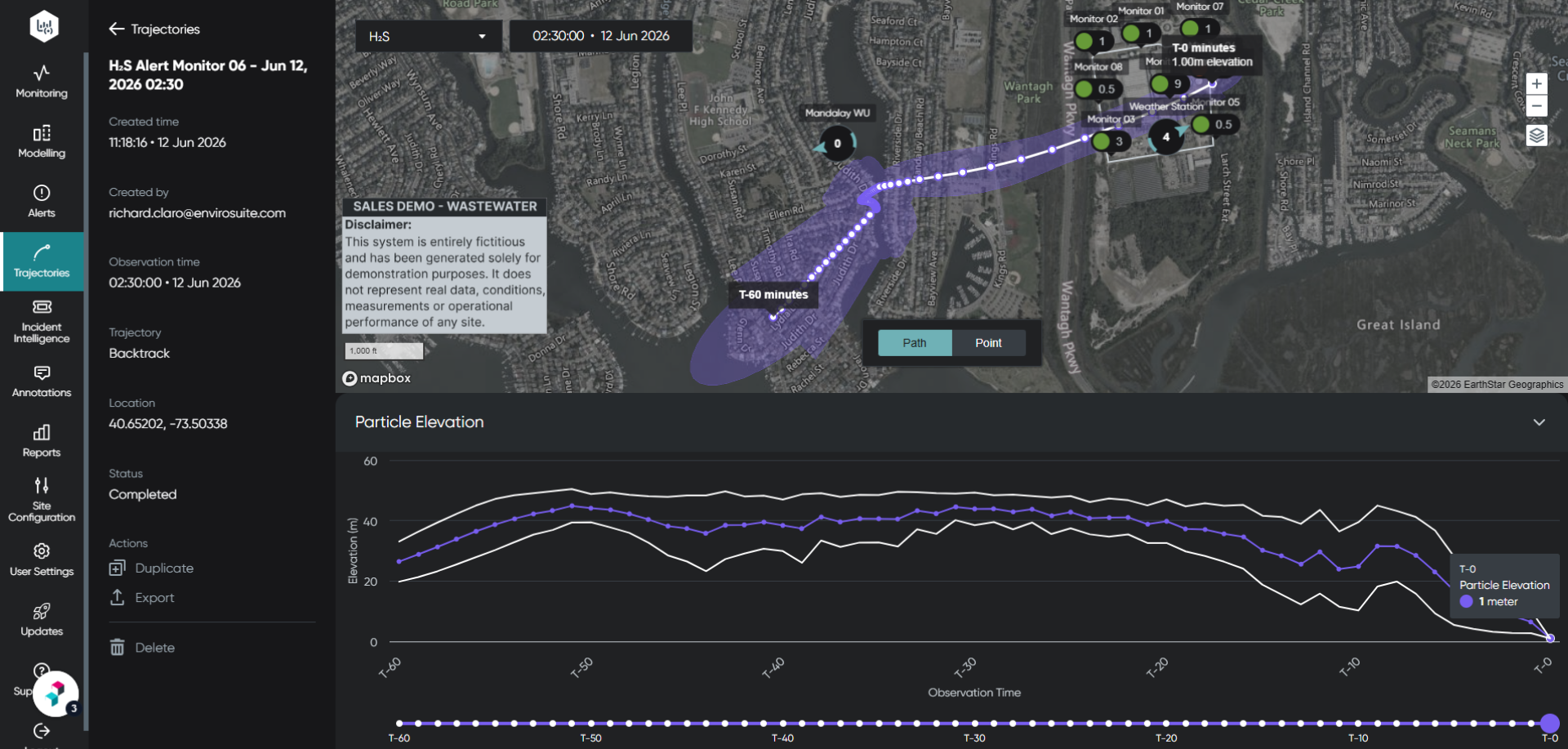
New article
Recently updated
Executing a trajectory from an alert

Who is this article for?
Users looking to view a trajectory an alert was triggered on.
No special access or permissions are required.
This article shows you how to run a trajectory analysis from an existing alert.
Executing a trajectory
To execute a trajectory from an alert:
- Go to the Monitoring module.
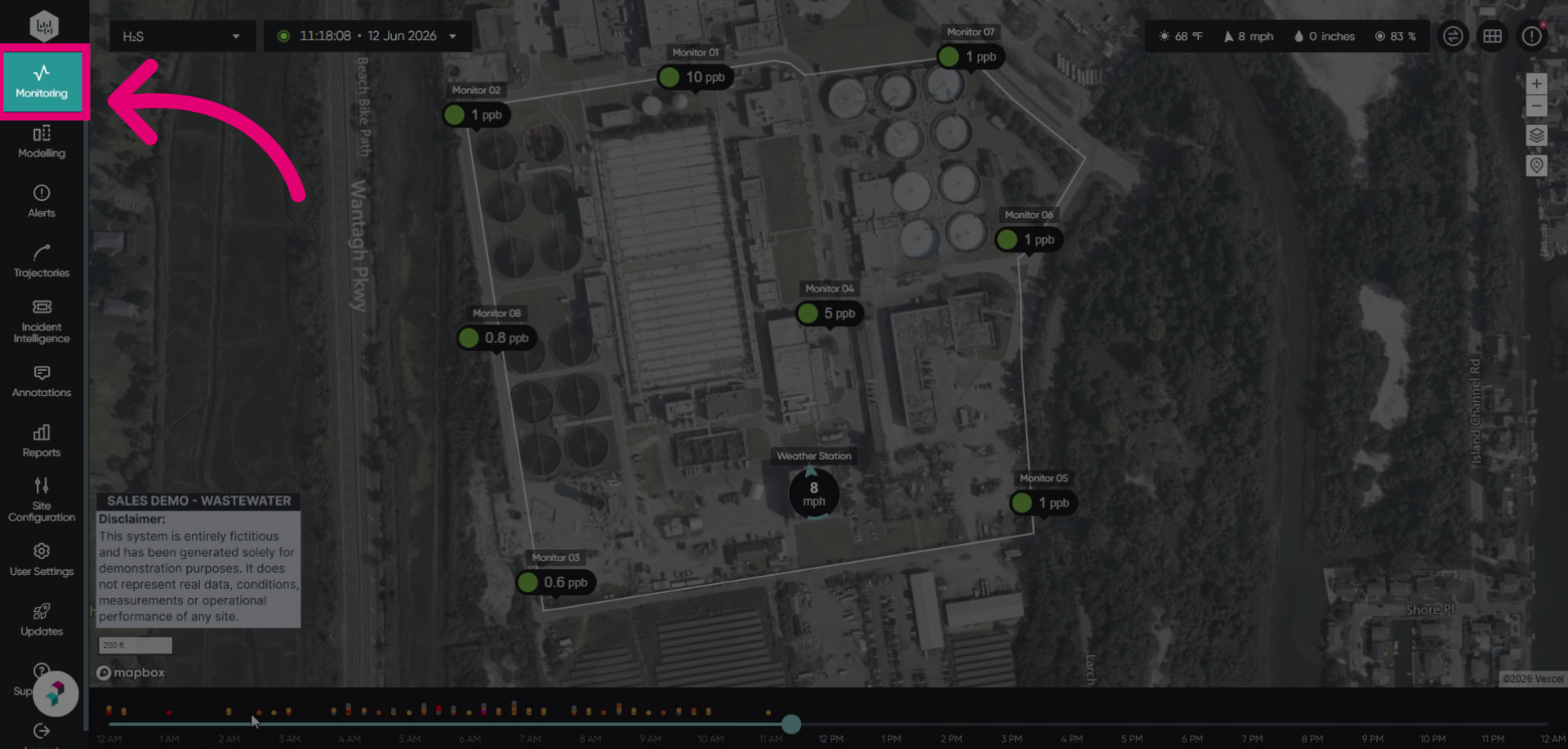
- Click or hover over an alert.
This will show a quick information widget.
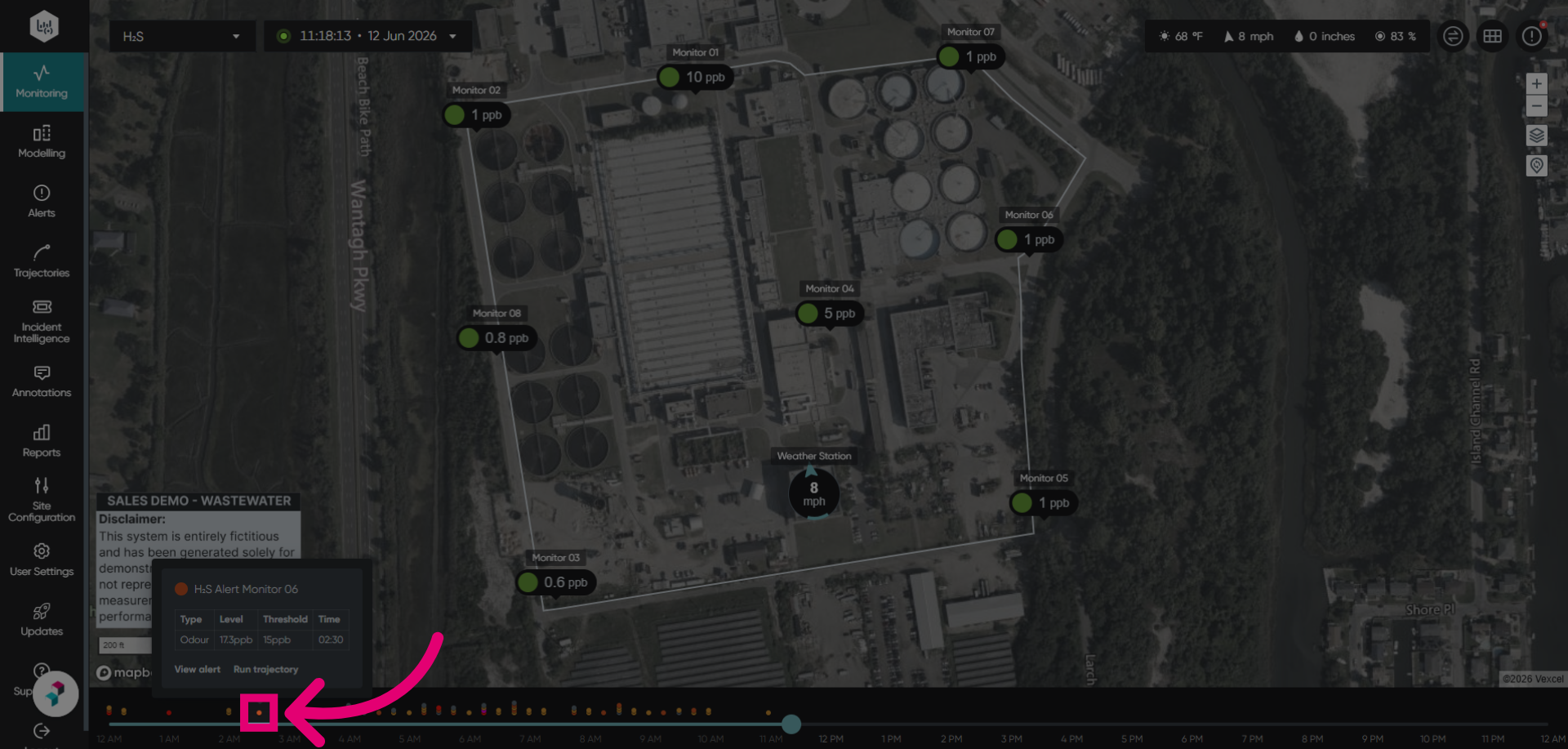
- Click Run trajectory to start the trajectory analysis process within the alert.
This will launch a backward trajectory from the monitor that triggered the alert.
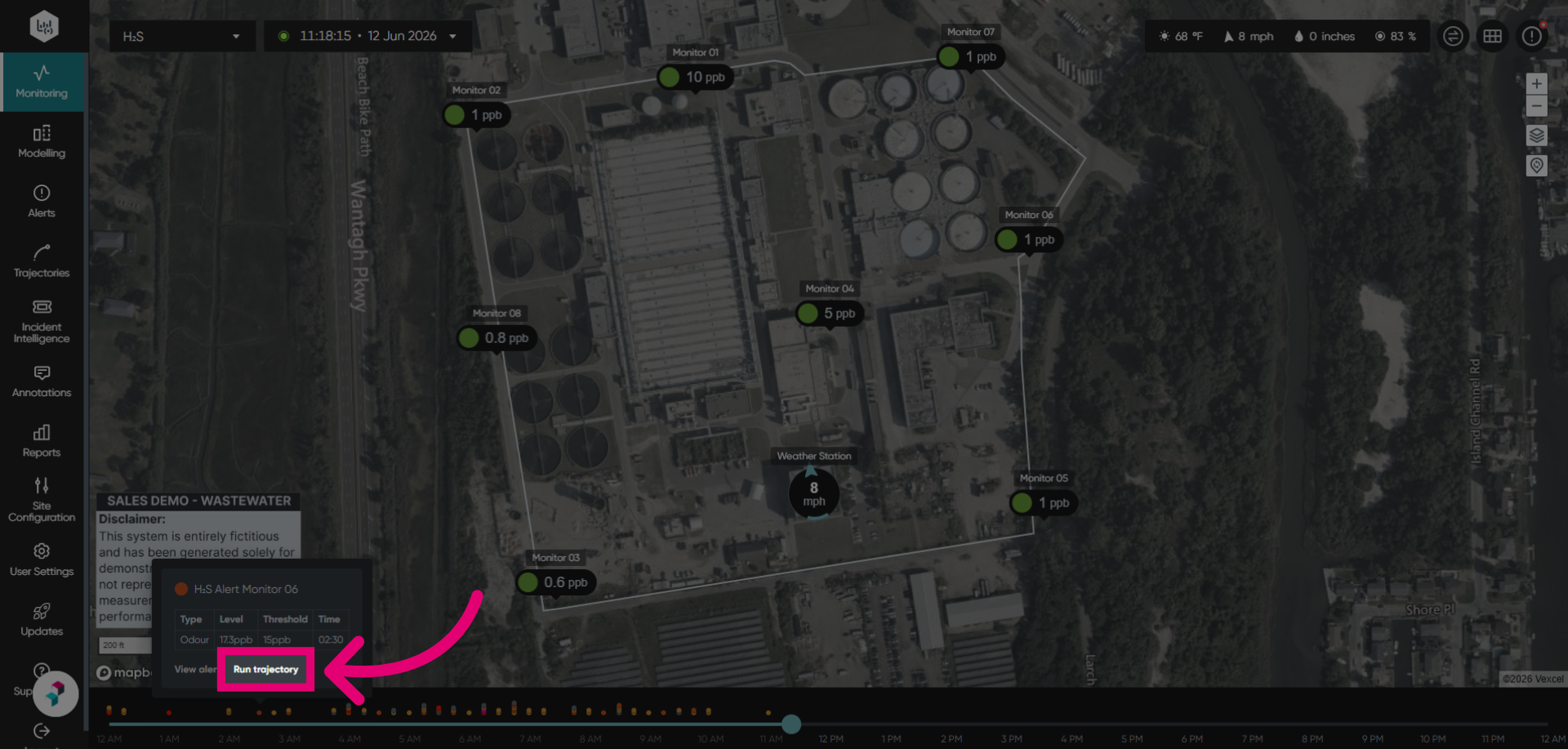
The page will automatically navigate to the trajectory, where you can complete the analysis process and view the results.