


New article
Recently updated
Navigating the Incident Intelligence module

Who is this article for?
User learning about the features in Incident intelligence.
Incident Intelligence module access ir required.
Incident Intelligence allows you to map and analyse community complaints about odours and air pollution, helping you identify trouble areas and make informed decisions about recurring issues.
Module overview
Incident Intelligence is part of a complaints and inquiry package that integrates automatic trajectories triggered when community complaints are entered. The system gathers data about location, date, and time when individuals encounter odours or air pollution and complete the nuisance observation form.
With this information, you can map incidents to identify where the most complaints occur in the surrounding community, allowing you to report or act on recognised trouble areas or odour sources.
Accessing the module
To access the module, select Incident Intelligencefrom the left-hand menu.
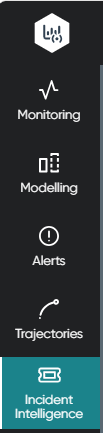
The site map displays with a sidebar for refining your search window.
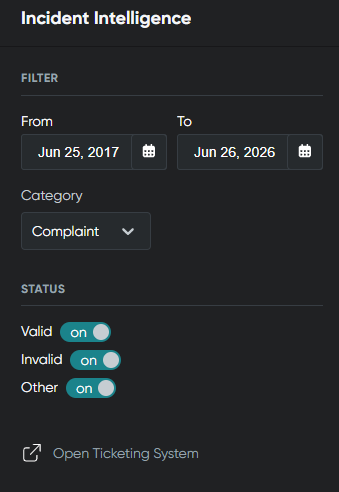
Filtering incidents
To filter the displayed incidents:
- Select your date range in the filter options.
- Use the dropdown to choose whether to review Complaints (displayed by default), Incidents, or Observations.
- Filter by status, selecting Valid, Invalid, or Other status types.
The map updates after you select the first date.
Note
You can access the Ticketing System from the last filter option to enter a new complaint or incident if required.
Viewing the map display
The map is a simplified version of the Monitoring Map. By default, it shows a heat map of where complaints have occurred:
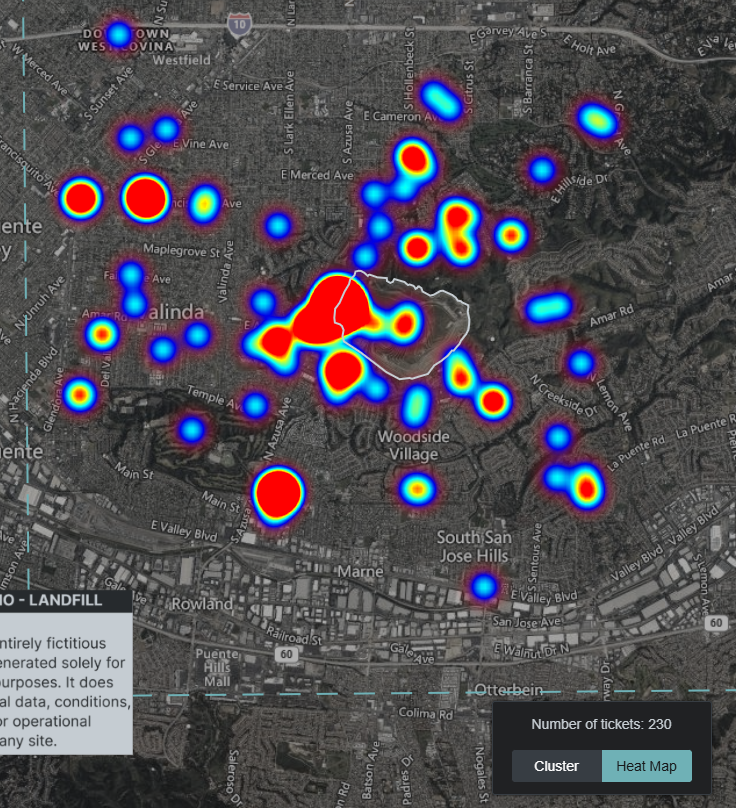
You can also select cluster mode if preferred:
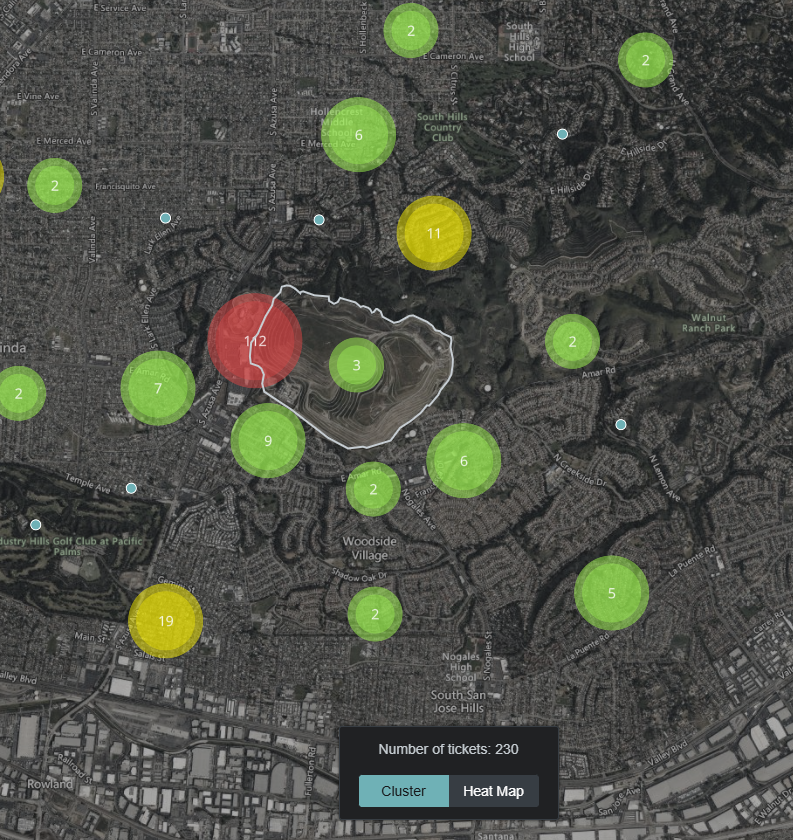
Zooming in or out on the map changes how both the heat map and cluster views are displayed.
Using this data, you can make informed decisions about how to address significant or recurring issues.